✨ Admissions Open for May 2026 Batch! | ✨ Personalized Attention | 📞 +91-8827731006
Home / Courses / Computer Classes for Kids in Bhilai
Projects Reviews Blog Schools
🟢 Admissions Open ✨ Focused Learning 📚 Class 6–8

Interactive Computer Classes for Kids in Bhilai

★ 4.9/5 Average Rating by Parents ✔• Curriculum Aligned with NEP 2020 Objectives

Give your child in Bhilai the perfect start in the digital world with practical, kid-friendly classes.

  • No typing confidence
  • Struggles with school projects
  • No exposure to AI
✨ Only 12 students per batch
📅
6 WeeksDuration
2 Hrs / DayDaily Classes
OnlineMode
CertificateIncluded
🎯 What You'll Learn
💻
Computer Basics & File Management
MS Word, Excel & PowerPoint
Cyber Safety & Fraud Awareness
🤖
AI Basics & Scratch Coding
🎨
Multimedia & Creativity
Certificate Awarded

Practical Computer Classes for Kids Every Student in Bhilai Should Learn

Most parents realize this problem too late. Don’t let your child fall behind.

The Real Problem

Even today, many students:

  • Cannot type properly
  • Struggle to create basic documents
  • Depend on parents for school projects
  • Lack confidence using computers
  • Have zero exposure to AI and modern tools

The Root Cause (Schools Gap)

Schools focus on theory (Definitions, Exams, Limited lab time). But students don’t get:

  • Hands-on practice
  • Real projects
  • Step-by-step guidance
So students know ABOUT computers…
But don’t know how to USE them.

Practical Computer Classes for Kids Every Student in Bhilai Should Learn

✗ Traditional Learning
✅ SkillNest Approach
Theory-based
Practical learning
Limited practice
Daily hands-on sessions
No real output
Project-based learning
Passive learning
Guided + interactive
No AI exposure
AI basics included

In just 6 weeks, your child goes from confusion to confidence.

Book Free Demo – Limited Seats See how your child learns before you decide
✨ Only 12 students per batch | Trusted by 500+ students

What Bhilai Parents Say

"My son from {city} learned Scratch coding confidently through these kid-friendly classes and it has been the best decision for their education."

- Parent from Bhilai

Digital Confidence, Cyber Safety & More in Bhilai

Real results in just 36 days. See what your child achieves based on our program.

Before SkillNest

  • Struggles with basic computer use
  • Slow typing
  • Depends on parents for school work
  • No exposure to AI or tools
  • Low confidence

After SkillNest

  • Creates documents & presentations
  • Types faster & confidently
  • Completes projects independently
  • Understands AI basics
  • Builds real digital skills

Why We Started SkillNest

Designed by experienced educators & industry professionals — committed to bridging the digital skills gap for Class 6–8 students across India.

Founder

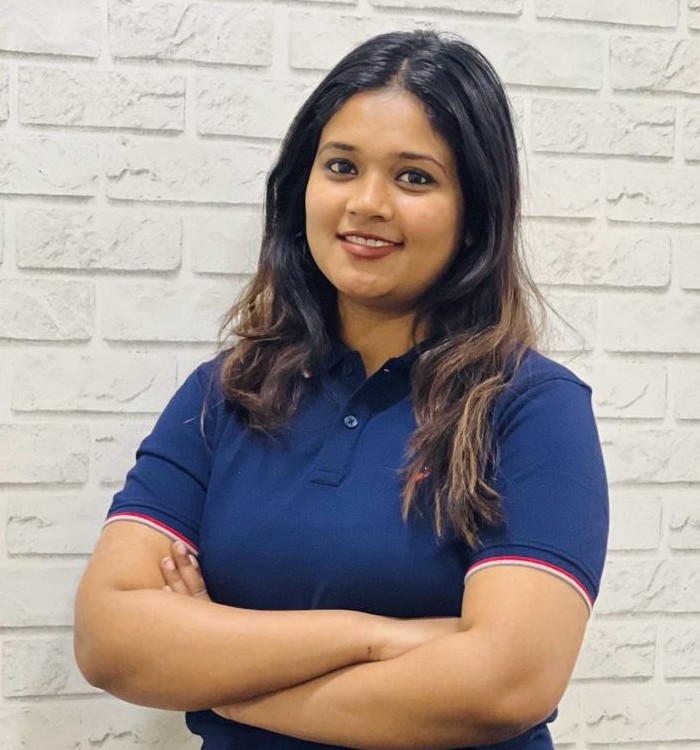
Aanandita Uplopwar

Founder & Program Coordinator · Smart Digital Skills Program

Smart Digital Skills was founded by Aanandita Uplopwar, an educator and program leader who closely worked with students, parents, and learning teams and noticed a growing gap between academic performance and real-world skills. While many children were scoring well in school, they often lacked practical digital knowledge and were spending hours on screens without learning anything meaningful.

This inspired her to create a program that helps students use technology in the right way — building confidence, creativity, and future-ready skills from an early age. The curriculum is further supported by professionals from technology, development, and digital learning backgrounds to ensure students learn relevant real-world skills.

With hands-on experience in career counselling , data tools, and digital systems, she designed this program to be practical, engaging, and truly useful — not just theory. Every module is built from real-world needs, not textbook definitions.

✨ Based in Durg, CG 💻 counselor & Education Professional 🎓 Designed for Class 6–8 📞 Personally Available on WhatsApp ✅ Hindi + English Medium

To make every student digitally confident, not just literate

Aligned with modern digital skills & AI learning trends. We believe practical skills will open doors that theory alone cannot.

  • 500+ students trained
  • 📅 Structured 6-week program
  • Live guided learning
  • Project-based approach

Safe & Structured Online Computer Education

Designed by educators who understand both child psychology and industry needs — giving your child real, future-ready digital skills, not just theory.

Hands-On Computer & Digital Skills Practice

Every concept is followed by hands-on practice. Students build real files, projects, and portfolios — not just watch lessons.

Cyber Safety & Digital Skills

Children learn how to stay safe online, identify scams, create strong passwords, and protect personal information.

🤖

AI Basics Exposure for School Students

Kids explore AI tools used in real life — voice assistants, search, image tools — and learn responsible, smart AI usage.

Coding Classes for Kids with Scratch

Logical thinking and problem solving through fun game development using Scratch — a world-class coding platform for kids.

🎨

Creativity Development

Multimedia, digital art, presentations, and project work fuel creativity alongside technical skills.

Real-life Digital Skills

From Google Tools to email to online forms — students master skills they'll use in school, college, and careers.

Confidence Building

Weekly challenges, live presentations, and a final project showcase give students the confidence to shine digitally.

Structured Curriculum

4 progressive levels covering Digital Foundations → Productivity → Safety → Future Skills in perfect sequence.

✨ ✨

Expert Instructors

Trained facilitators who specialize in child-friendly digital education make every class fun and effective.

Is Your Child Gaming 6 Hours a Day Instead of Learning Digital Skills?

Every hour spent on mindless scrolling is an hour not spent building skills that will matter in college and career. Here's the difference:

📱

6 Hours of Gaming / Reels — No Skill Gained

What your child is doing right now...
Short attention span & dopamine addiction
Zero resume value — can't show a game score
No new skills learned — nothing to build on
Cyber risks — scams, strangers, fake links
Posture problems, sleep issues, eye strain
Academic lag — less focus on real learning
💻

6 Weeks of Digital Skills & AI Classes for Kids

What your child can achieve instead...
✔•Real computer & AI skills they can showcase
✔•Portfolio + Certificate — actual proof of learning
✔•Knows Excel, PowerPoint, Google Tools at Class 7
✔•Cyber safety awareness — knows how to stay safe
✔•Confidence to handle technology in school & life
✔•Ahead of 90% of peers when they reach Class 9

This summer, give your child 2 hours of structured digital learning instead of 6 hours of mindless screen time.
The decision you make today shapes what college & careers they'll have tomorrow.

Book Free Demo
✔ 100% Free Demo   |   ✔ No Payment Required

Online Digital Skills Program Highlights — Class 6 to 8

Everything you need to know about India's practical computer & AI classes for school students at a glance.

📅
6 Weeks
Program Duration
2 Hours
Daily Class Duration
Online
Flexible Learning Mode
📚
Class 6–8
Target Age Group
Certificate
On Successful Completion
Portfolio
Final Student Showcase

Can't Attend Weekdays? Weekend Digital Skills Batch Available!

For students with busy school schedules or extra-curricular activities — our Weekend Practical Batch gives full program access on Saturdays & Sundays.

📅

Saturday + Sunday Only

Full 6-week program compressed into weekends. No weekday time needed. Perfect for school-going students.

2 Hours Per Session

Same 2-hour structured sessions with all activities, worksheets, and live Q&A — just on weekends.

🎥

Recorded Sessions Available

Missed a class? No worries! All weekend sessions are recorded and shared with enrolled students within 24 hours.

Same Certificate & Curriculum

Weekend students receive the same official certificate and complete the same curriculum as weekday batches.

✨ Available Weekend Timings

10 AM–12

Morning Batch

Sat & Sun · Fresh start to the day

3–5 PM

Afternoon Batch

Sat & Sun · Post-lunch learning

✨ Weekday batches also available: Mon–Sat at Morning (9–11 AM), Afternoon (2–4 PM), and Evening (7–9 PM) slots. Mention your preferred timing in the enrollment form.

Book Free Demo

6-Week Computer & AI Classes Curriculum for Kids

A clear, week-by-week learning roadmap — from computer basics to AI and Scratch coding. Every week builds on the last.

Week 1
💻
Computer Basics
Hardware & Software File Management Typing Skills OS Basics
Week 2
MS Word
Document Formatting Tables & Images Headers & Styles Practical Project
Week 3
Excel
Spreadsheet Basics SUM & AVERAGE Charts & Graphs Marksheet Project
Week 4
Presentations
Slide Design Animations Public Speaking Live Presentation
Week 5
Internet Safety
Cyber Awareness Fraud Prevention Password Safety Safe Browsing
Week 6
🤖
AI + Coding
AI Tools Demo Scratch Coding Mini Game Final Project
W1Computer Basics
W2MS Word
W3Excel
W4Presentations
W5Internet Safety
W6AI + Coding

Join Our Classes in Bhilai

We are proud to serve the Bhilai community with top-tier digital education.

Smart Digital Skills | Bhilai, Chhattisgarh | 📞 +91-8827731006

View Google Business Profile

Digital Skills Your Child Will Master After This Course

By the end of 6 weeks, students walk away with practical computer & AI skills they can immediately use in school and daily life.

Create Presentations

Design multi-slide presentations with animations, images, and confident delivery — ready for school projects.

Use Excel Basics

Build spreadsheets, apply formulas like SUM and AVERAGE, and create charts from real data.

🤖

Learn AI Tools

Understand how AI works, explore AI tools hands-on, and use them responsibly for school tasks.

Improve Typing Skills

Develop faster, accurate typing habits that save time and build confidence with every computer task.

Understand Cyber Safety

Identify online scams, create strong passwords, and stay safe from fraud, phishing, and digital threats.

Build Mini Projects

Complete real projects — a Word document, Excel marksheet, PowerPoint, and a Scratch game — to showcase as a portfolio.

🎯 Give Your Child a Head Start in Digital Skills This Summer

May 2026 Batch · Limited Seats · Class 6–8 · Online

View Projects Read Reviews Parent Blog Partner Schools

What Students Build in Our 6-Week Computer Program

Every student leaves with a real portfolio of digital projects — proof of computer & AI skills they can show to schools, teachers, and the world.

Word Project File

A full-formatted Word document with headings, images, and proper structure

Excel Marksheet

A complete student marksheet with SUM, AVERAGE formulas and a chart

PowerPoint Presentation

A themed multi-slide presentation with animations and professional design

🎮

Scratch Game

A fully playable game built using Scratch — with movement, score, and controls

🎨

Digital Poster Design

A creative poster designed using Paint and digital multimedia tools

🤖

AI Activities

Hands-on AI exploration — asking questions, comparing answers, identifying use cases

How We Teach Digital Skills to Kids — Our Methodology

We don't just teach — we ensure every student truly learns through our proven 20-40-40 framework.

20%

Teacher Explains
Concept Introduction

40%

Do Together
Live Guided Practice

40%

Student Practice
Independent Work

✔️
Interactive Classes
🎯
Activity-Based Learning
Fun + Learning Approach
Weekly Challenges
🎮
Gamification Elements
Live Project Work

Every Online Class Day is a Structured Learning Adventure

Each class day is packed with structured learning elements that build habits and mastery over time.

📋

Daily Worksheets

Printed or digital worksheets reinforcing each day's concepts

✍️

Assignments

Short, focused tasks to apply what was learned in class

🎯

Fun Activities

Quizzes, polls, drag-drop tasks and interactive challenges

Skill of the Day

One key skill highlighted and mastered each session

✨ 

Golden Principle

A memorable digital lesson or rule students carry for life

💬

Live Q&A

Open discussion and doubt clearing at the end of each session

Achievement Points

Gamified points system rewarding effort and consistency

🚀

Challenge Mode

Optional bonus challenges for fast learners to stretch further

A Digital Skills Program Parents Can Trust

We keep parents fully informed and involved — because your trust is our most important achievement.

Progress Tracking

Detailed weekly progress reports so parents know exactly how their child is growing

Weekly Updates

Regular WhatsApp updates with photos, activities and highlights from each week

Certificate Awarded

Official certificate of completion recognizing the student's digital achievement

🎨

Student Showcase

Final portfolio presentation where students demonstrate what they've built

👥

Small Batch Size

Maximum 15–20 students per batch ensures quality and focused attention

🎯

Individual Attention

Every student is tracked individually — no one gets left behind

Safe Learning

Safe online environment with content moderation and child-safe platforms only

💬

Parent Support

Dedicated parent helpline for questions, concerns, and feedback anytime

What Parents & Students Say About Our Digital Skills Classes

Real stories from families who've experienced the transformation.

⭐⭐⭐⭐⭐

"My daughter was scared of computers. After this program she made her own Excel marksheet and a PowerPoint presentation! I couldn't believe it. Highly recommended for every parent."

S
Sunita Verma
Parent of Class 7 Student
⭐⭐⭐⭐⭐

"Best summer program ever! I made my own game on Scratch and learned about AI. My friends were amazed when I showed them my Scratch game. Can't wait to learn more next year!"

A
Aarav Singh
Class 8 Student
⭐⭐⭐⭐⭐

"As a parent, the cyber safety module gave me real peace of mind. My son now knows exactly what to do if someone tries to scam him online. This is life-saving knowledge."

R
Ramesh Patel
Parent of Class 6 Student
⭐⭐⭐⭐⭐

"The teachers are amazing! They explain everything so clearly and the activities make learning so much fun. I love the skill of the day concept — I still remember every single one!"

P
Priya Sharma
Class 7 Student
⭐⭐⭐⭐⭐

"We received weekly updates and progress reports. The small batch size meant our son got individual attention. He came home excited about technology every single day!"

M
Meena Gupta
Parent of Class 6 Student
⭐⭐⭐⭐⭐

"The final showcase where my daughter presented her portfolio to us was the most proud moment. She explained everything herself! The confidence she gained is priceless."

K
Kavita Desai
Parent of Class 8 Student
Book Free Demo
See How Your Child Will Learn

Why Practical Computer Skills Matter

A breakdown of the essential skills every school student needs for academic success.

Skill Area
What Students Learn
Academic Benefit
MS Office Suite
Formatting in Word, formulas in Excel, and animations in PowerPoint.
Better project reports and data analysis.
Typing & Shortcuts
Touch typing techniques and essential keyboard shortcuts.
Saves time on assignments and research.
File Management
Organizing folders, cloud storage, and downloading resources safely.
No more lost files or messy desktops.
Internet Safety
Creating strong passwords and identifying online scams.
Protects personal data while browsing.

Common Parent Questions

What is the best computer course for kids in India?

The best course focuses on practical application rather than theory. SkillNest teaches students MS Word, Excel, PowerPoint, typing, and AI tools through hands-on projects, ensuring they gain skills they can use immediately in school.

At what age should kids start learning computer skills?

Class 6–8 (ages 10–14) is the ideal age. At this stage, children have the cognitive ability to move beyond games and begin using technology productively for school projects and creative tasks.

How is this different from school computer classes?

School classes often focus heavily on definitions and exam theory. Our program is 100% practical. Students spend their time actually building projects, designing presentations, and learning tools hands-on.

Invest in Your Child's Future

Everything your child needs to build real-world digital skills, at an unbeatable price.

What You Get:

36 Days Structured Program ₹4,000
Live Trainer Support ₹2,000
Hands-on Projects ₹2,000
AI Basics + Tools ₹1,500
Certificate + Assessment ₹1,000
Total Value: ₹10,500+
You Pay
₹3,000
You Get
₹10,500+ Value
₹3,000 Price ₹10,500 Value
Feature Others SkillNest
Price ₹5k–₹15k ₹3,000
Live Classes Limited ✅ Daily
Projects Few ✅ Weekly
AI Learning ✅ Included
Next batch starts soon
Enroll Now
Or try a free demo first
Risk-Free Seat Booking
✔ Attend first class, then decide
✔ No questions asked refund
✔ Pay only if satisfied

See Student Results

Explore the real projects our students build during the program.

View Projects →

What Parents Say

Read testimonials from parents who have seen their children transform.

Read Reviews →

Related Reading

Discover why early digital literacy and AI exposure are crucial.

Read Blog →

Frequently Asked Questions About Digital Skills Classes for Kids

Everything parents ask before enrolling — answered clearly.

👶 Who can join this program?
+
Any student currently in Class 6, 7, or 8 can join this program. The curriculum is specifically designed for this age group — age 11 to 14 years. Students from any school or board (CBSE, State, ICSE) are welcome.
💻 Is prior computer knowledge needed?
+
No! Absolutely no prior computer knowledge is required. We start from the very basics — what is a computer, how to use a keyboard — and build up gradually. Students with zero experience and those with some experience both benefit equally.
✅ Is the program available online and offline?
+
Yes! Both options are available. Online classes are conducted via a video platform with interactive screen-sharing. Offline classes are conducted in a proper computer lab setting. You can choose your preferred mode at the time of enrollment.
✨ Will my child receive a certificate?
+
Yes! Every student who successfully completes the 6-week program receives an official certificate of completion. The certificate is a great addition to a student's portfolio and can be showcased in school projects and activities.
💰 What is the fee? Any installment option?
+
The full program fee is ₹5,500 but we're currently offering a Summer Launch price of ₹3,499. The first 50 students get an even better rate of ₹3,000 — valid till 30 April. You can reserve your seat for just ₹499 (adjusted in the final fee). You also get a full refund if you're not satisfied after the first class.
📅 What is the batch timing and schedule?
+
Multiple batches are available — morning, afternoon, and weekend batches. Each class is 2 hours long. The complete schedule will be shared upon enrollment. You can select your preferred timing when filling the admission form.
📱 What device does my child need?
+
For online classes: A computer or laptop with a stable internet connection is recommended. A tablet may work but a keyboard is preferred for typing practice. For offline classes, all equipment is provided at the center.
✨ ✨✨ How are parents kept updated?
+
We provide weekly WhatsApp updates, progress reports, and a final student showcase. Our small batch size (max 20 students) ensures every student gets individual attention and parents can track their child's growth in real-time.
⏰ What are the exact batch timings?
+
We offer multiple timing slots to fit your schedule:

Weekday Batches (Mon–Sat): Morning 9–11 AM · Afternoon 2–4 PM · Evening 7–9 PM
Weekend Batches (Sat–Sun): Morning 10 AM–12 PM · Afternoon 3–5 PM · Evening 7–9 PM

The Evening 7–9 PM slot is the most popular as it fits perfectly after school + homework time. You can mention your preferred timing in the enrollment form.
🎥 Are the classes recorded? What if my child misses a class?
+
Yes! All online classes are recorded and shared with enrolled students within 24 hours via WhatsApp/Google Drive. If your child misses a session due to any reason, they can watch the recording and catch up. We also offer a brief recap at the start of each new session to reinforce previous learning.
💸 What is the refund policy?
+
100% Full Refund — After First Class: Attend the very first class. If you or your child is not satisfied for any reason, we will refund the full amount. No questions asked. No forms to fill.

₹499 Reservation Fee: Fully adjusted in the final program fee — it is not an additional charge. If you cancel before the first class, the ₹3,000 is also refunded (request within 7 days of payment).

We want you to feel 100% confident. Our quality is our guarantee.
✨ Is the program taught in Hindi or English?
+
Classes are conducted in a Hindi + English mixed medium (Hinglish) — which is the most natural and effective way for Class 6–8 students in Central India. Technical terms are explained in both languages so students understand both the concept and the vocabulary. Study materials are available in English.
✨ What support is available during and after the program?
+
During the program: Dedicated WhatsApp support group for enrolled families, weekly progress reports, and live Q&A at the end of every session.

After the program: Students get access to resource materials and recordings for 30 days post-completion. Parents can WhatsApp the instructor directly for any queries. We're a small, personal program — not a large coaching factory — so you always get real attention.
Your Child Earns an Official Digital Skills Certificate

Every student who completes the 6-week program receives an official Certificate of Completion — a real recognition of their digital achievement.

Smart Digital Skills Program
This is to certify that
[ Your Child's Name ]
has successfully completed the Smart Digital Skills Summer Program
covering Computer Basics, MS Office, Cyber Safety, AI Basics & Scratch Coding
📅 6 Weeks · May 2026 ✅ With Distinction ✨ Class 6–8

🎓 Certificate is digitally issued and can be printed, shared on LinkedIn/social media, or included in school portfolios.

Easy & Secure UPI Payment to Enroll

Pay securely via any UPI app — PhonePe, Google Pay, Paytm, or direct bank UPI

💺

Reservation Fee

₹499

Reserve your seat now. Amount fully adjusted in final fee — not an extra charge.

🎓

Full Program Fee

₹3,499

Pay full fee upfront for Early Bird price. Includes everything + recordings access.

📱 PhonePe 🟢 Google Pay 💙 Paytm ✨ BHIM / Bank UPI
Enroll Now

After payment, please fill the Enrollment Form below. Our team will verify payment and confirm your seat within 24 hours via WhatsApp. Save your payment screenshot as proof.

Clear, Honest Refund Policy — Enroll Risk-Free

We believe in transparency. Here's exactly what happens with your money at every stage.

After First Class — Full Refund

Attend the first session. Not satisfied for any reason? We refund 100% of the amount paid. No forms, no questions asked. Simple as that.

Before First Class — ₹3,000 Refunded

If you cancel your reservation before the program starts (within 7 days of payment), your ₹3,000 reservation fee is fully refunded.

📋

After 2nd Class Onwards — No Refund

Once 2 or more classes are attended, we consider the enrollment confirmed. No refund is available after this point.

Try a Free Demo Class for Your Child — No Commitment

Not sure yet? Book a free live demo class for your child — no commitment, no payment. See the magic before you enroll!

🆓 100% Free ⏱️ 45 Minutes 💻 Live Online ✨ ✨ Expert Instructor 📚 Class 6–8 🚀 No Commitment

🔒 Your details are safe. Our team will call you within 24 hours to confirm the demo slot. No spam, ever.

Win Up to 50% Scholarship on Digital Skills Course Fee

Register for our free online Scholarship Test. Top scorers get up to 50% off on the program fee. Open to all Class 6–8 students.

🆓 Free to Register ✨ Up to 50% Scholarship 📱 Online Test (30 Min) 📚 Class 6–8 Open 📅 May 2026 Batch

🔒 Your details are safe. Test link will be shared on WhatsApp before the test date. No spam, ever.

Latest Parent Resources & Guides

Helpful tips, guides, and insights to support your child's digital learning journey — written for parents like you.

🤖 AI for Kids
📅 April 20, 2026 4 min read

What Is AI? A Simple Guide for Parents to Explain It to Their Kids

Artificial Intelligence is everywhere — from voice assistants to school tools. Here's how to explain it clearly to your Class 6–8 child in a way that sparks curiosity, not confusion.

Read Article →
Cyber Safety
📅 April 14, 2026 5 min read

10 Online Safety Rules Every Parent Should Teach Their Child Today

From password hygiene to recognising phishing links — these 10 actionable cyber safety habits can protect your child from online threats starting this week.

Read Article →
💻 Digital Skills
📅 April 8, 2026 3 min read

Why Excel & PowerPoint Skills in Class 7 Give Your Child a Huge Advantage

Students who know productivity tools before Class 9 perform better in projects, score higher in computer exams, and impress teachers. Here's the evidence.

Read Article →
🎮 Parenting Tips
📅 April 2, 2026 6 min read

Screen Time vs. Skill Time: How to Help Your Child Use Technology Productively

Not all screen time is equal. Learn how to shift your child's digital habits from passive consumption to active skill-building — without the daily battle.

Read Article →
Founder

Written & Reviewed by Aanandita Uplopwar

Founder & Lead Educator at Smart Digital Skills. With years of experience in educational technology, she designs practical, future-ready curriculum for Class 6-8 students across India.

Enroll Your Child in Digital Skills Classes — May 2026 Batch

Fill in the details below and our team will contact you within 24 hours to confirm enrollment.

🔒 Your details are private and will only be used to confirm your enrollment. No spam, ever.

Book Free Demo
💬
Talk to Counselor

Explore More:

Home All Courses Classes in Mumbai Classes in Delhi Classes in Bangalore Classes in Bhopal Classes in Indore Classes in Pune Coding in Hyderabad AI Classes in Chennai Digital Skills in Kolkata AI Classes for Students Coding Classes India Computer Classes for Teenagers Digital Skills for Kids Blog Student Projects Parent Reviews